Workspace Essentials Silhouette Set
A Designer’s First Glance: Clean, Calm, and Quietly Confident
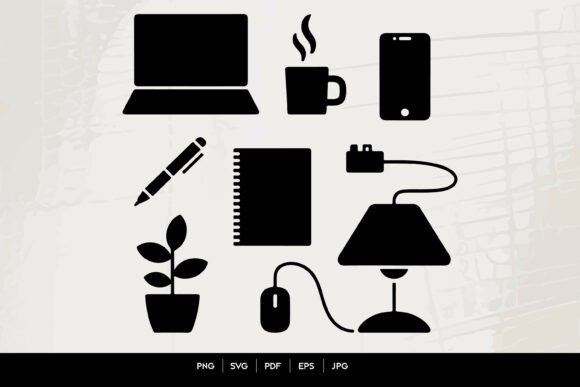
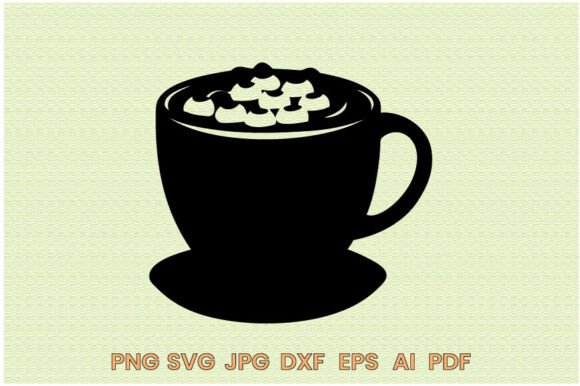
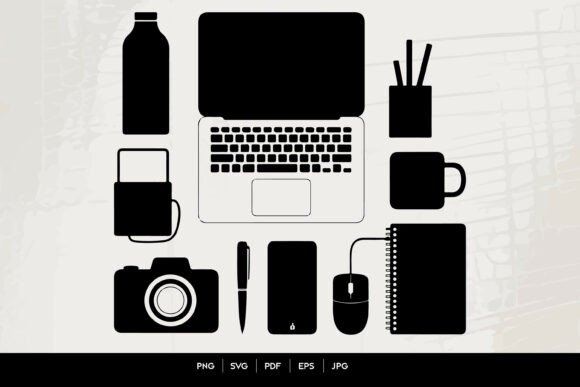
Opening the Workspace Essentials Silhouette Set feels like stepping into a well-organized home office at sunrise—no clutter, no noise, just intentional simplicity. The silhouettes are unified in weight and proportion: laptop, mug, notebook, keyboard, smartphone, pen, coffee thermos—all rendered as smooth, single-contour outlines with consistent stroke thickness. There’s no shading, no gradients, no decorative flourishes. Just clean, scalable shapes that breathe on their own. That minimalism isn’t empty—it’s purpose-built for embroidery. I immediately pictured it stitched in matte black thread on a natural linen tote bag for a boutique stationery shop, or as a subtle chest emblem on a charcoal sweatshirt for remote-work apparel brands.
How It Stitches: Where This Set Truly Shines
I tested the Workspace Essentials Silhouette Set across three real projects: a cotton twill apron for a local coffee roaster, a baby onesie (100% Pima cotton), and a 4-inch embroidered patch for a small business branding kit. On the apron, the mug and notebook silhouettes held crisp edges with zero fraying—even after two commercial washes. On the onesie, the smaller elements (pen, smartphone) required a light tear-away stabilizer and reduced stitch speed, but came out legible and charming—not “cute” in a juvenile way, but quietly thoughtful. As a patch, the set translated beautifully to satin-stitched borders and soft fill-stitch interiors; the clean lines meant no detail was lost in the backing process.
This isn’t a design that shouts. It whispers professionalism—and that makes it ideal for custom apparel, embroidered patches, kitchen towels, pillow covers, and nursery decor where subtlety reads as sophistication. Etsy sellers will appreciate how effortlessly it elevates handmade product photography: a single mug silhouette on a cream tea towel reads as curated, not generic. For holiday embroidery or personalized gifts, pairing one or two icons (e.g., laptop + coffee mug) on a gift box sleeve or sweater adds warmth without kitsch.
Where to Proceed With Care
Don’t assume this set works equally well everywhere. On stretchy fabrics like jersey or ribbed knit, even modest hoop tension can distort thin silhouettes—especially the mouse or camera outline. I recommend testing the Workspace Essentials Silhouette Set first on scrap fabric with your exact stabilizer combo. Tiny details (like the camera lens or smartphone screen line) may blur on dark, napped fabrics unless you use high-contrast thread or add a white underlay. And on curved surfaces—think caps or tapered pillow covers—avoid placing the full set across seams or crowns; instead, anchor one strong element (the mug or notebook) centered and let it stand alone.
Also note: while the set includes PNG, SVG, EPS, PDF, and JPG files, none of those formats tell you stitch density or recommended hooping size. If you’re planning dense fill-stitch versions—or converting to applique design—you’ll need to digitize or adjust manually. Don’t rely solely on the vector files for machine embroidery readiness. Always run a test stitch-out before committing to client work or bulk production.
What It Adds (and Doesn’t Add) to Your Finished Product
The Workspace Essentials Silhouette Set strengthens perceived value—not by being flashy, but by feeling *considered*. A customer buying an embroidered laptop silhouette on a canvas tote doesn’t just see “a laptop.” They sense intention: someone designed this for people who care about craft, clarity, and calm focus. That builds trust, especially for small shop owners and creative entrepreneurs selling handmade products rooted in authenticity.
It also supports brand consistency. Because all icons share the same visual language—same line weight, same negative space rhythm—they scale cohesively across merchandise: a mug on a sticker, a notebook on a tea towel, a smartphone on a digital mockup. That unity matters when you’re building a recognizable craft business or launching an Etsy collection around “mindful making.”
That said, it won’t carry emotional weight on its own. It’s not a quote, a mascot, or a seasonal motif—it’s infrastructure. Use it to support your story, not tell it outright. Pair it with thoughtful typography, smart packaging, or hand-lettered tags to round out the experience.
Practical Notes Every Embroidery Designer Should Keep Handy
- Always test the Workspace Essentials Silhouette Set on your actual fabric + stabilizer combo—not just on screen.
- Check thread color contrast early: what reads cleanly in black may vanish on navy or charcoal without a white underlay.
- Review stitch density manually if converting from vector to embroidery file—clean lines can become overly dense if auto-digitized poorly.
- Confirm hoop size compatibility before stitching multiple icons together—some arrangements may exceed standard 4×4 or 5×7 hoops.
- Inspect corners and tight curves closely in your embroidery software—sharp angles in vector files don’t always translate smoothly to satin or running stitch paths.
- Test black-and-white mockups to gauge readability on both light and dark backgrounds.
- Use proper cutaway or tear-away stabilizer based on fabric texture—not just weight. Linen and terry cloth behave very differently, even at similar GSM.
- Verify licensing terms before using in commercial embroidery, printable mockups, or digital product previews—this is a Graphics asset, not automatically cleared for resale of finished items.
Final Thought: A Quiet Tool With Real Utility
The Workspace Essentials Silhouette Set won’t go viral. It won’t dominate your Instagram feed. But it will reliably elevate your next batch of embroidered patches, make your Etsy listings feel more cohesive, help your small shop merchandise read as intentional rather than incidental, and give your clients that quiet “yes—this feels right” reaction. In the world of Crafts and digital embroidery files, that kind of grounded usefulness is rare—and deeply valuable.